
Commercial panic and duress
Panic and duress button systems for San Diego commercial premises
Silent hold-up alarms at counters and reception, and mobile duress devices for staff who move around a site or work alone — wired into a monitored response and paired with camera verification, so an activation carries information, not just a location. Installed and monitored under BSIS ACO #7501.
Panic Buttons
What should happen in the ninety seconds after somebody presses it
A panic or duress button is a device somebody presses when they need help and cannot safely ask for it out loud. Pressing it raises a signal from your premises, silently. What happens next is not automatic, and this is the part that gets sold dishonestly: the signal does not summon police. It reaches an operator, who follows the response plan agreed with you in advance. If that plan is vague, the device is close to decorative.
So the conversation worth having is about the plan before it is about the hardware. Who is called, in what order, what they are told, what the operator does if nobody answers, and what evidence supports a dispatch request. A signal verified against a camera turns a bare activation into a description of what is actually happening, which changes how it is treated at every step afterwards.
It is also worth separating two things that get sold under one word. A hold-up alarm concerns a specific event at a known position — somebody at a counter being robbed or threatened — and is usually a fixed device. Duress is broader: a member of staff who moves around a site, works alone, or meets the public in a room with one exit. The devices overlap; the response behind them should not. Working out which of the two you actually have is the first conversation.
Placement and briefing decide the rest. A device nobody can reach without being seen reaching for it, or that staff have not been briefed on, does not get used.
Scope and limits
What a duress button does, and what it does not
A panic or duress button is a device somebody presses when they need help and cannot safely ask for it out loud. Pressing it raises a signal from your premises to a monitoring centre, silently, with no sound or indication at the device or on any keypad.
What happens next is not automatic, and this is the part that gets sold dishonestly. The signal does not summon police. It reaches an operator, who follows the response plan agreed with you in writing before the system went live — which normally includes requesting law enforcement attendance where the activation warrants it. Whether police attend, and how quickly, is their decision, made on their priorities and on what else is happening at that moment. We do not publish response times anywhere on this site and we are not going to start on the page where being wrong matters most.
What you are actually buying
The hardware is the easy part
The value of a duress system sits almost entirely in two places: whether the device is where somebody could actually reach it, and whether the plan behind it does something useful.
Neither of those is a purchasing decision. Both are settled by standing in the room and by writing the response plan down before anything is switched on.
Where it is installed
Why it is silent
Noise escalates the room
A siren tells whoever is causing the problem that a signal has been sent. In a hold-up or a confrontation that makes the situation considerably worse for the person who pressed the button, which is precisely the person the system exists to protect.
No confirmation, by design ]
Because it is silent, the person who pressed it gets no reassurance that anything happened. That is unavoidable and it is why briefing matters — somebody who does not know to expect silence will press repeatedly, or conclude it did not work.
The verification happens elsewhere
The activation is assessed away from the room, on camera and against the plan, not announced inside it. That is what allows a response to be organised without the situation changing because somebody heard a bell.
Two different problems
Fixed devices and mobile devices
The distinction is not about technology. It is about whether the person and the risk share a fixed location, and most sites that need duress need some of each.
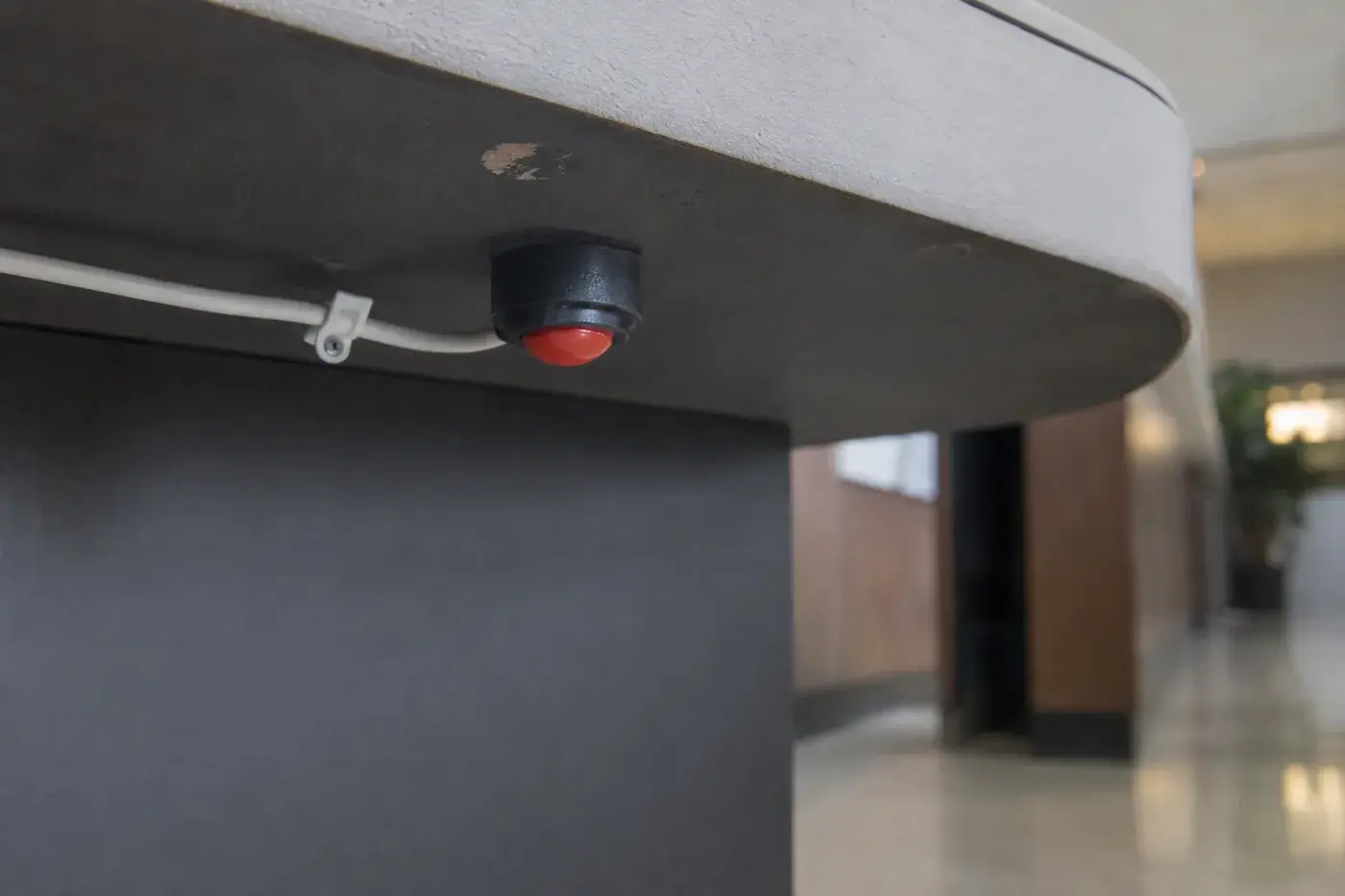
Fixed devices go where the risk sits still. Under a till or a reception desk, at a cash counter, in a pharmacy or a dispensary, at a late-opening service window, in a cash-counting room. The person is at a known position and the device is within reach of the hand that is free.
Mobile devices go where the risk follows the person.Staff working alone, walking a building at night, moving between units or dealing with the public away from a desk. The device travels with them, whether that is a wearable or an application on the phone they already carry.
Placement is most of the work on fixed devices. A button somebody has to lean, turn or step to reach is a button that will not be pressed under stress. It goes where the hand already is.
Practicality is most of the work on mobile ones. A device that is awkward, conspicuous or left in a drawer is not a duress system. What people will actually carry, every shift, is the binding constraint.
Both need the same plan. Whichever device raises the signal, the response behind it is the same documented sequence, and it is written before anything is installed.
Neither is a lone-worker policy. A device supports a policy about working alone. It does not substitute for one, and we will say so instead of let it be bought as one.
The devices overlap. The response plans do not.
A hold-up alarm is about a specific event — somebody at a counter being robbed or threatened — and it is usually a fixed device at a known position. Duress is broader: a member of staff who feels unsafe with a person in front of them, a lone worker who has had an encounter go wrong, somebody who has found a situation they should not walk into.
The devices overlap heavily and the response plan behind them does not, because what should follow is different. Working out which of the two a site actually has is the first conversation, and it usually turns out to be some of each — see the employee-safety half of it.
The employee-safety half of it
Camera verification turns a signal into a description
A duress activation on its own tells an operator that a device at a location was pressed. That is not nothing, but it is thin: it does not say whether somebody is being threatened, whether a bag has been knocked against a button, or whether the person who pressed it is still at the position.
Paired with a camera view of the same area, the activation becomes something an operator can describe. That matters in two directions at once. When the activation is real, the request that reaches law enforcement carries what is actually happening instead of a device identifier — and a described situation is a materially different call from an unverified alarm. When it is accidental, it is resolved in moments instead of becoming a call-out for whoever is on the key-holder list at two in the morning.
That pairing sits under commercial alarm monitoring, which is where the intrusion side of a monitored system lives, and where operators are watching feeds live it runs alongside remote video monitoring. Where the positions that matter are not currently covered by a camera, that work is commercial security camera installation.
Placement, briefing and accidental presses
Duress systems fail for human reasons far more often than technical ones, and all three of these are decided before installation, not after the first activation.
Where the hand already is
Work out where somebody would be standing, what would be happening, and which hand is free. A device requiring a lean, a turn or a step is one that will not be reached under stress.
Designed for the accidental press
A button a knee, a chair or a cleaning cloth can reach will be pressed by all three. Placement solves most of it; camera verification and a documented way to confirm an error solve the rest.
Briefing is part of the install
What it does, what it does not do, that there will be no confirmation because it is silent, roughly what follows, and that pressing it when unsure is correct. A device nobody has been briefed on is decoration.
Commercial premises where duress belongs
The common thread is a person who deals with the public, or works alone, at a position where the consequence of a confrontation is serious and there is nobody immediately alongside them.
Retail and cash-handling positions are the archetype — tills, service counters, back offices and counting rooms, covered under retail security. Licensed premises hold controlled stock and cash in the same room and are frequently required to think about it deliberately, which is set out under cannabis dispensary security. Managed property puts staff at reception desks and on rounds through buildings out of hours — see office and property management security.
Where duress usually does not belong is everywhere at once. Fitting a button at every desk in a building produces a system nobody maintains, nobody is briefed on and everybody has forgotten within a year. The useful version is a small number of well-placed devices at genuinely exposed positions, with a plan behind them that somebody owns.
A response plan agreed in writing before anything is switched on
The start is the same as everything else here: a look at the actual positions, and an honest conversation about who is exposed and where they would be standing when it happens.
Then the response plan, written down and agreed, before anything is switched on. Commercial premises only, not private residences.
What actually happens
The sequence after an activation
The signal is raised
Silently, from the device to the monitoring centre, identifying the premises and the position. Nothing happens in the room, and nothing is displayed on a keypad.
The operator assesses
Against the plan and, where cameras cover the position, against a live view. This is where a duress activation stops being a signal and becomes a described situation.
Your contacts are notified
In the order you set, at the hours you set. Who is on that list, and whether they can realistically act at three in the morning, is a decision worth revisiting, not making once.
Law enforcement is requested
Where the activation warrants it. Requested — never promised. Attendance and its priority are decisions for law enforcement, and no provider controls them, whatever a brochure implies.
It is documented
The activation, the assessment, the footage and the actions taken are recorded, so afterwards there is an account, not a recollection — which matters for insurance, for HR and for improving the plan.
Scope and limits
What we will not tell you, and what we will not connect
There are two hard limits on this page and both are worth stating rather than leaving to be discovered.
The first is that we do not publish response times of any kind — not ours, not a monitoring centre’s, and certainly not law enforcement’s. Nobody in this industry can promise how quickly police attend, because nobody in this industry decides it. A provider quoting you a number for that is quoting you something they do not control, and on a system somebody presses when they are frightened, that is the worst possible place to be relaxed about accuracy.
The second hard limit
Both are red, and both are pressed in an emergency
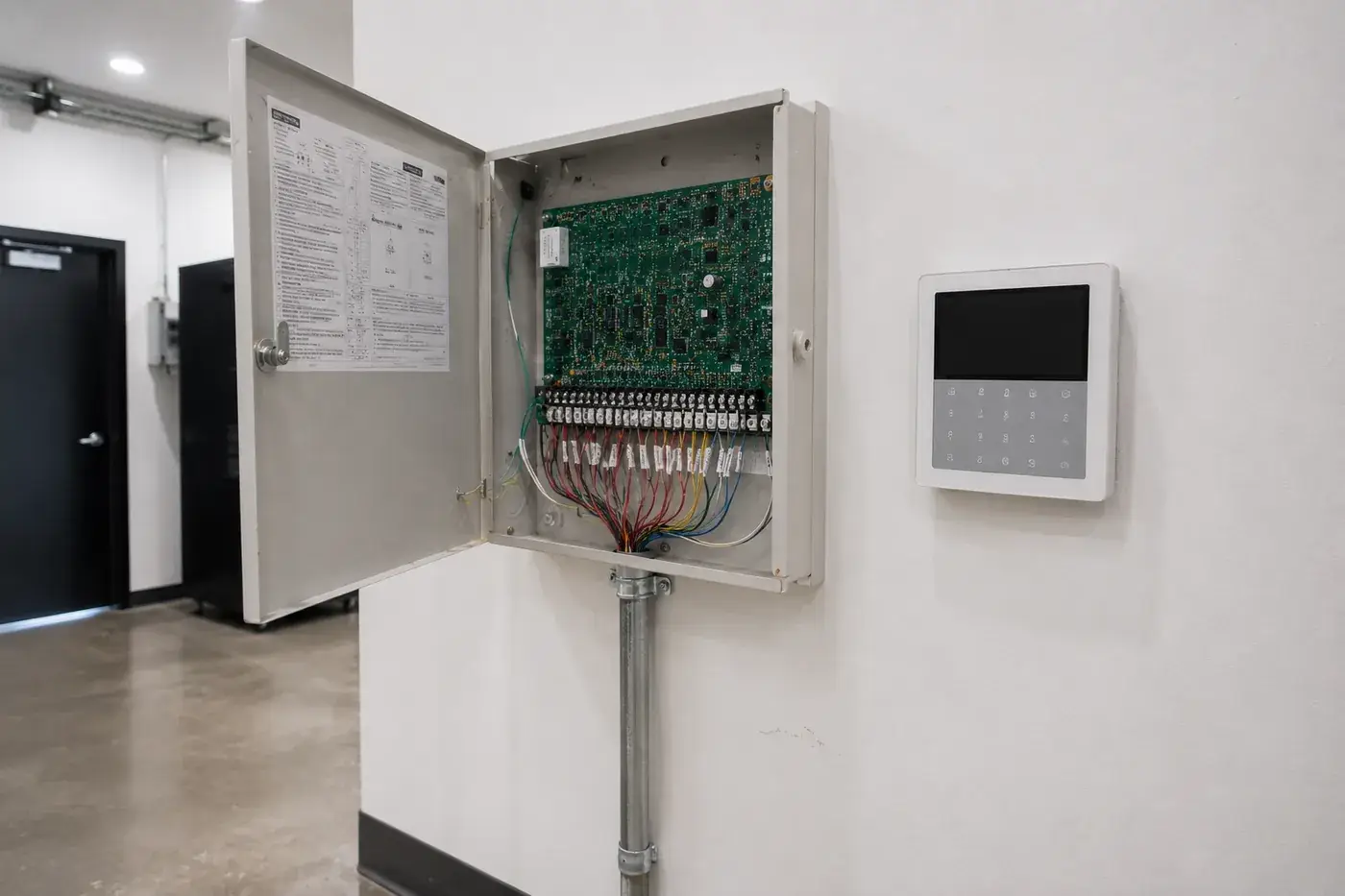
We hold no C-10 and no C-16, so we do not work on fire alarm systems, and a duress or hold-up device is never tied into one. The two get conflated because both are red and both are pressed in an emergency, but they are different systems under different licenses with different obligations.
Anything falling under a fire contractor’s license is coordinated with your own licensed fire alarm contractor. We do not perform it.
common questions
Panic and duress button questions
What is a panic or duress button?
It is a device a person presses when they need help and cannot safely ask for it out loud. Pressing it raises a signal from your premises to a monitoring centre, silently and without any indication at the device itself. What happens next is not automatic — it is the response plan you agreed in writing before the system went live, which the centre follows. The device is the easy part of this. The plan behind it, and whether the people who might press it understand what it does, is the part that determines whether it is any use.
Related Employee safety
Does pressing it call the police?
Not directly, and anybody who tells you otherwise is describing something that does not exist. The signal goes to a monitoring centre, which works through the response plan agreed with you — which typically includes requesting law enforcement attendance where the activation warrants it. Whether police attend, and how quickly, is a decision made by law enforcement according to their own priorities and what else is happening in the area. We do not publish response times, we cannot promise attendance, and we would be very cautious of any provider that does. What we can do is make sure the request that goes to them carries useful information.
Related Employee safety
Why should it be silent?
Because the point of a duress alarm is to get help without escalating the situation in the room. An audible siren tells whoever is causing the problem that a signal has been sent, which in a hold-up or a confrontation makes things worse, not better, for the person who pressed it. So hold-up and duress devices are silent at the premises by default: no sound, no light, no indication on a keypad. That also means the person who pressed it has no confirmation, which is one of the reasons the response plan and the training around it matter as much as the hardware.
Related Employee safety
What is the difference between fixed and mobile duress devices?
A fixed device is mounted where the risk is, and it is the right answer where the person and the risk share a known location — under a till or a reception desk, at a cash counter, in a pharmacy or a dispensary, at a late-opening service window. A mobile device travels with the person, and it is the right answer where the risk follows them, not sitting still: staff working alone, walking a building at night, moving between units, or dealing with the public away from a desk. Most sites that need duress need some of each, and the split falls out of asking where somebody would actually be standing when they needed it.
Related Employee safety
Can the cameras show what is happening when a button is pressed?
Yes, and it changes what the activation is worth. An alarm signal on its own is an assertion that something happened; paired with a camera view of the same area it becomes an observation, and an operator who can see the situation can describe it instead of simply reporting that a device was triggered. That description is what makes a call to law enforcement carry information, not just a location. It is also the thing that resolves an accidental activation in seconds instead of turning it into a call-out for whoever is on the key-holder list.
Related Employee safety
What about accidental activations?
They happen and the system should be designed on the assumption that they will. Device placement is most of the answer: a button positioned where a knee, a chair or a cleaner’s cloth can reach it will be pressed by all three. Beyond placement it is about verification and process — a camera view of the position, a documented way to confirm an activation was in error, and a plan that resolves it without anybody being embarrassed into not pressing it next time. The failure mode to avoid is a workplace where people hesitate because the last accidental press caused a fuss.
Related Employee safety
Who should have one, and what do they need to be told?
Whoever is exposed, which is usually fewer people and different people than a first pass suggests. Working through it properly means asking where somebody would be standing, what would be happening, and whether they could reach the device with the hand that is free. Training matters as much as placement: what pressing it does, what it does not do, that there will be no confirmation because the alarm is silent, roughly what will follow, and that pressing it when unsure is the correct thing to do. A device nobody has been briefed on is decoration, and duress is the last system on a site that should be decoration.
Related Employee safety
Can this be added to the alarm system we already have?
Usually. Most commercial premises already have an intrusion system with a monitoring arrangement behind it, and duress devices are frequently added to that rather than installed as something separate. What decides it is what the existing panel supports, how it is currently monitored, and whether the response plan can carry a distinct duress path — because a duress activation should not be handled like a door contact tripping at three in the morning. We establish that at survey and tell you plainly whether it can be added or whether the arrangement behind it needs to change first.
Related Employee safety
Are you licensed to install and monitor duress alarms?
San Diego CCTV Pros holds a BSIS Alarm Company Operator license, ACO #7501, which is the California license covering intrusion alarm, monitored CCTV and access control work, and hold-up and duress alarms sit squarely inside it. CSLB #976737 — a C-7 Low Voltage Systems contractor’s license — covers the low-voltage installation and the wiring. Both numbers are public and worth checking. Neither is a C-10 or a C-16, so fire alarm systems are not our work, and a duress or hold-up device is never tied into a fire system; anything falling under a fire contractor’s license is coordinated with your own licensed fire alarm contractor. Physical attendance is the other boundary. Where a duress plan calls for somebody to arrive, that is guard work under a private patrol operator license, BSIS PPO #121089 — held by Guardian Integrated Security, Inc., of which San Diego CCTV Pros is a DBA. It is the same company under its other license, and guard work is Guardian’s side of it: we coordinate it and do not sell it under this brand. We work on commercial premises only.
Related Employee safety
Related services
Other commercial services
Access Control Systems
Card, fob and mobile credential systems — readers, controllers, electric locking hardware, and integration with the camera syste
Biometric Access Control
Fingerprint, facial and palm credentials for the commercial openings where a credential must not be transferable — server rooms, cash handling, controlled inventory and pedestrian gates. Installed under ACO #7501, with the template storage and retention questions settled at design
CCTV Maintenance & Repair
Scheduled preventive maintenance contracts and on-call repair for commercial camera systems — including systems we did not install. Camera replacement, cabling faults, NVR and storage failures, firmware and retention audits.
Video Analytics
Detection running on the cameras and recorders you already have — person and vehicle classification, line crossing, intrusion zones, loitering, people counting and heat mapping. What makes a monitored system event-driven instead of a wall of screens nobody watches.